
GlobalVision Text Inspection
GlobalVision Text Inspection enables users to automatically compare PDFs and Word documents, catching text inconsistencies with precision. It identifies 18 types of error... GlobalVision Text Inspection enables users to automatically compare PDFs and Word documents, catching text inconsistencies with precision. It identifies 18 types of errors, including missing punctuation and font issues, ensuring content accuracy during artwork transitions. The platform supports multiple file formats and generates inspection reports for easy review, enhancing quality control in packaging workflows.
Top GlobalVision Text Inspection Alternatives

DirDiff
DirDiff efficiently compares two file copies across different directories, highlighting changes with an intuitive single-flow display that uses color differentiation...
QuickDiff
QuickDiff simplifies the comparison of two text blocks by visually highlighting differences, making it ideal for reviewing text, lists, emails,...
Compare PDF
Compare PDF is an advanced tool designed for precise document and folder comparisons. It effectively contrasts PDF files, highlights changes,...
Sheetmatcher
Sheetmatcher simplifies the process of comparing Excel sheets by allowing users to easily identify discrepancies. With a user-friendly drag-and-drop interface,...
Compare and Merge
Compare and Merge is a powerful Windows file comparison tool that displays file differences side-by-side, streamlining the process of identifying...

NOVO Compare
This document comparison solution, formerly known as NOVO Compare, enhances efficiency for legal professionals by integrating seamlessly into Microsoft Office...
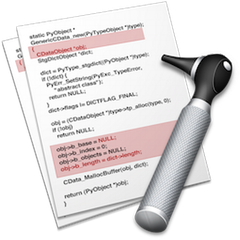
Changes
Changes is a powerful tool for macOS that allows users to investigate file and folder discrepancies effortlessly. It highlights added,...

xlCompare
xlCompare is an advanced tool designed for efficiently comparing Excel files, CSV, and XML formats. It identifies and highlights differences...
Active File Compare
Active File Compare is a sophisticated utility designed for comparing and synchronizing text files visually. It displays results in dual...
Beyond Compare
Beyond Compare empowers users to efficiently compare, merge, and synchronize files across Windows, macOS, and Linux. With intuitive commands, it...

Pretty Diff
Pretty Diff is an innovative tool designed for language-aware code comparison, beautification, minification, and parsing across multiple programming languages. By...

Araxis Merge
Araxis Merge is a powerful file and document comparison software for Windows and macOS, favored by professionals in software development,...
Text Compare!
Text Compare! offers a streamlined solution for spotting differences between two text versions, ideal for developers, writers, and students. Users...
Compare It!
Compare It! revolutionizes file comparison with its v4 features, enabling users to compare binary and image files alongside text. The...
Diff Doc
Diff Doc is an intuitive file comparison software designed to streamline document review processes. It allows users to effortlessly compare...
Company Information
- Company: GlobalVision
- Country: Canada
Top GlobalVision Text Inspection Features
- Character-to-character comparison
- Detects 18 text error types
- Multi-format file support
- Side-by-side document comparisons
- Automated proofreading capabilities
- Comprehensive inspection reports
- Fast error detection process
- Integration with artwork management systems
- Supports 30+ foreign languages
- Checks for font and color errors
- Identifies missing punctuation
- Compares hardcopy to digital files
- Streamlined inspection workflow
- Reduces artwork iterations
- Ensures regulatory compliance
- Historical version tracking
- User-friendly web-based application
- Customizable inspection settings
- Real-time error notifications
- Enhanced localization management
